

Sign out of the OneDoc app
Here’s how to sign out of your patient account on the OneDoc app:
-
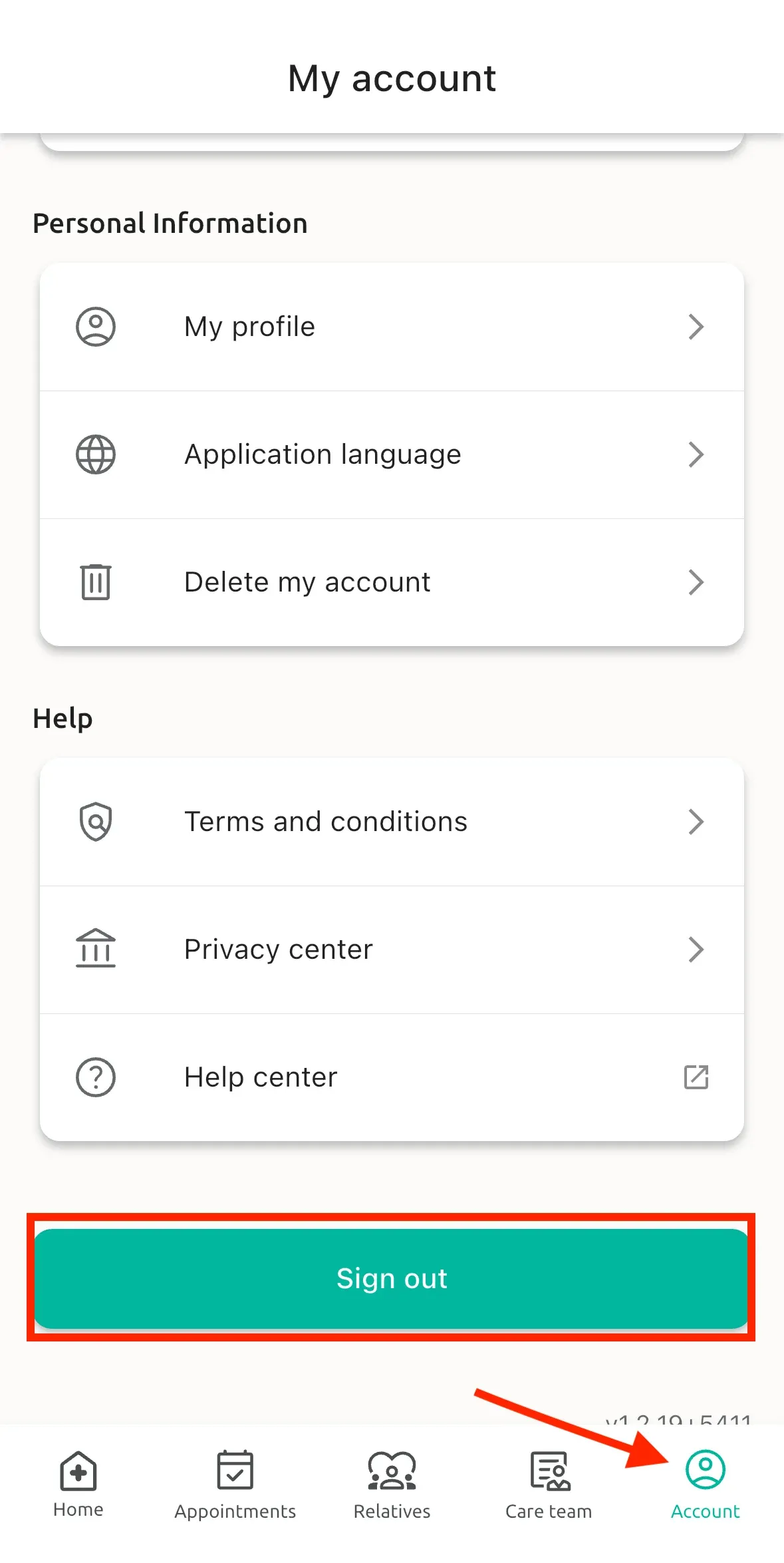
Click on “Account” at the bottom right of the screen
-
Then click on “Sign out”
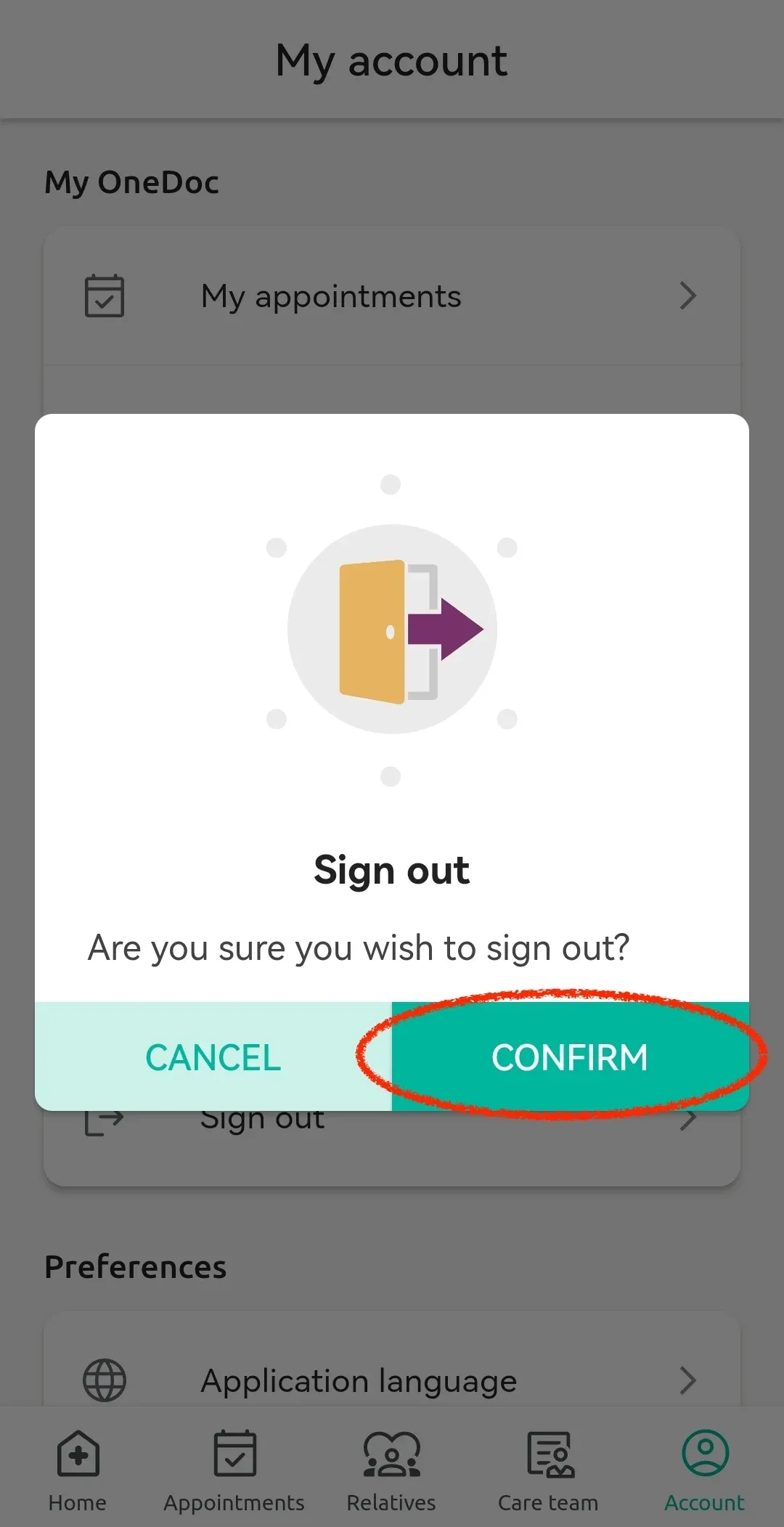
- Finally, click on “Confirm”
After, you will be signed out of your OneDoc account!