

Sign in to the OneDoc app
Here is how to log in to your account via the mobile app:
-
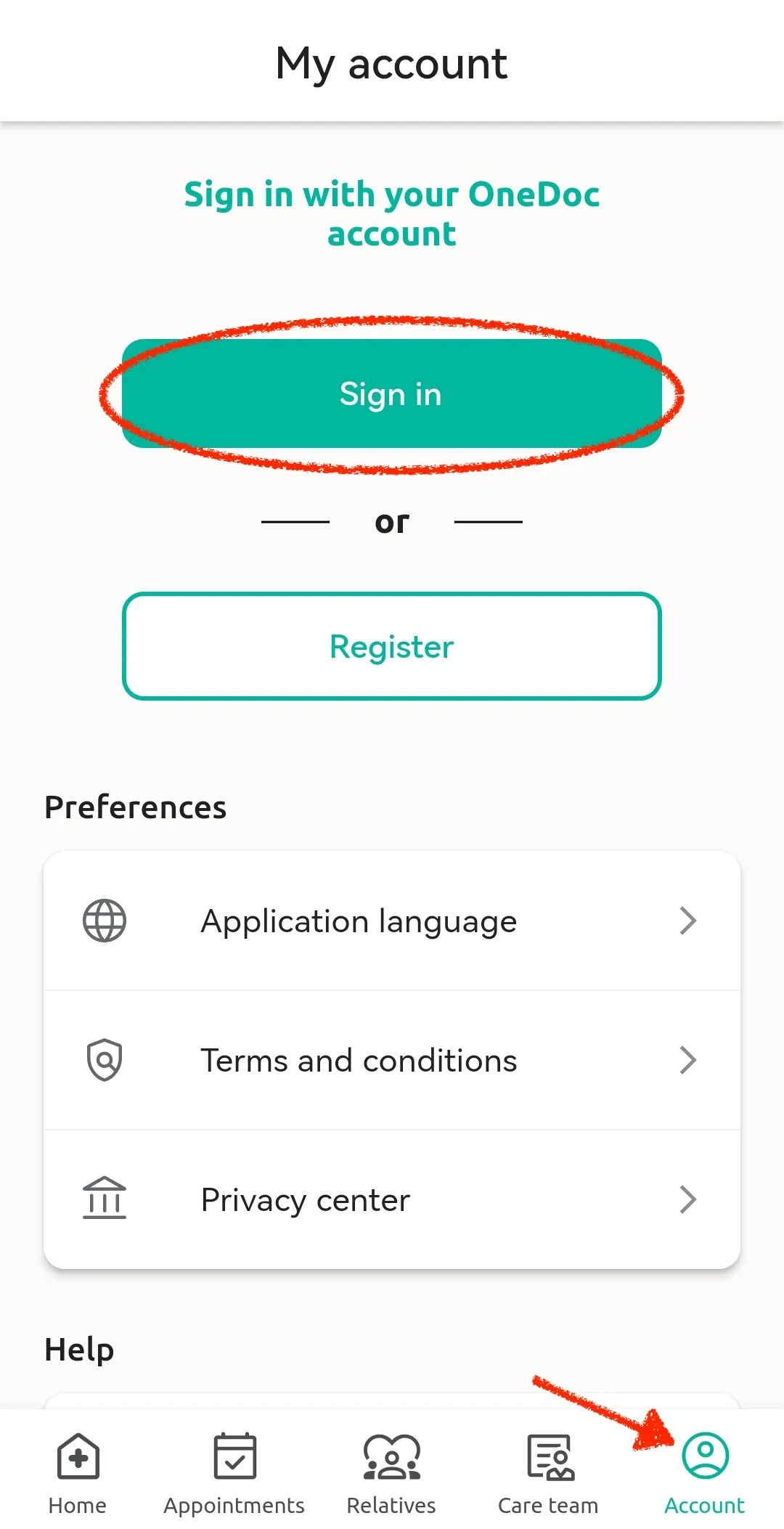
On the main page, click on “Account” at the bottom right of the page.
-
Then simply click on “Sign in” to connect to your account.
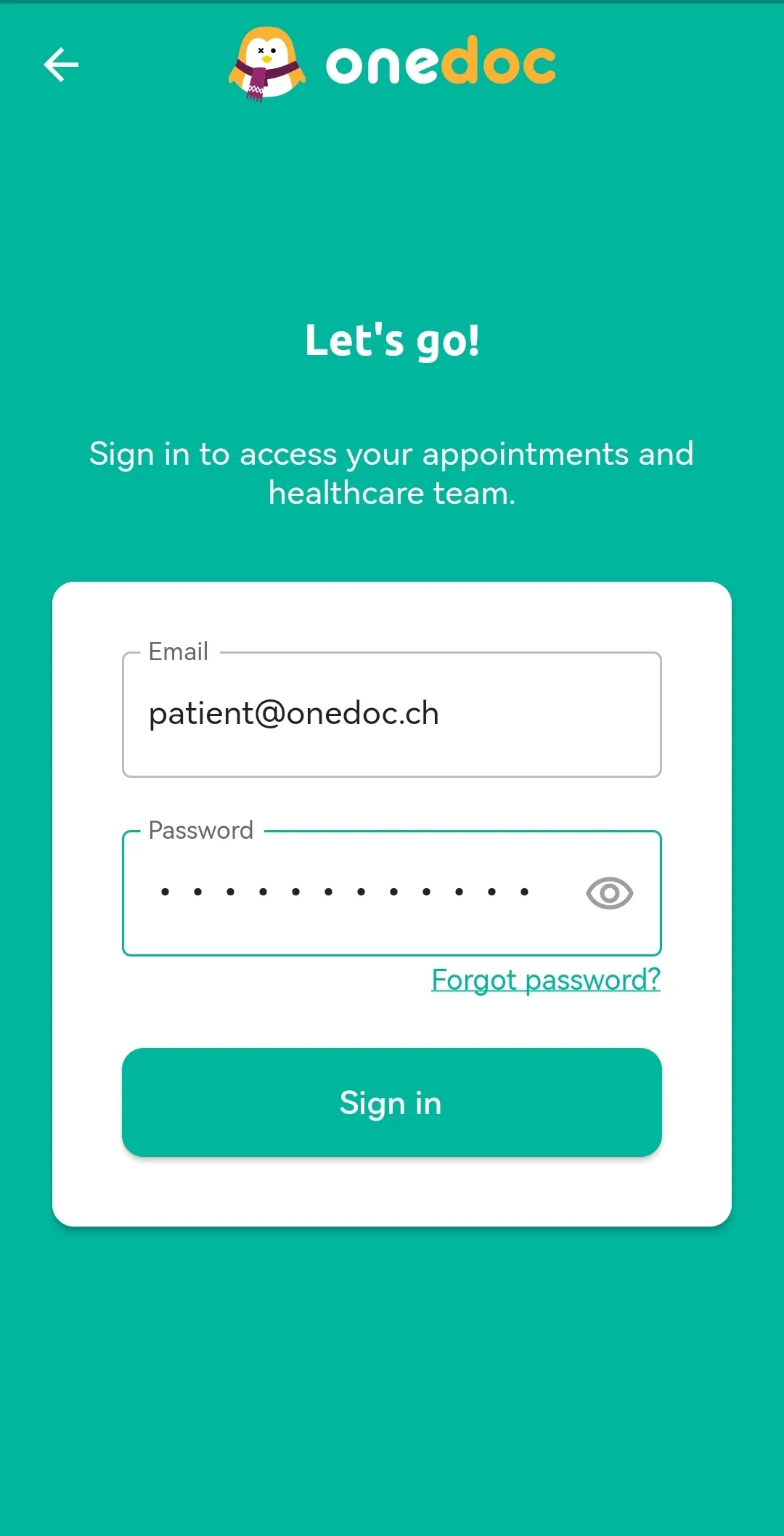
- After, you can enter your email address and password and finally click on “Sign in”.
Please note:
If you do not remember your password, you can click on “Forgot password?” to reinitialize it.