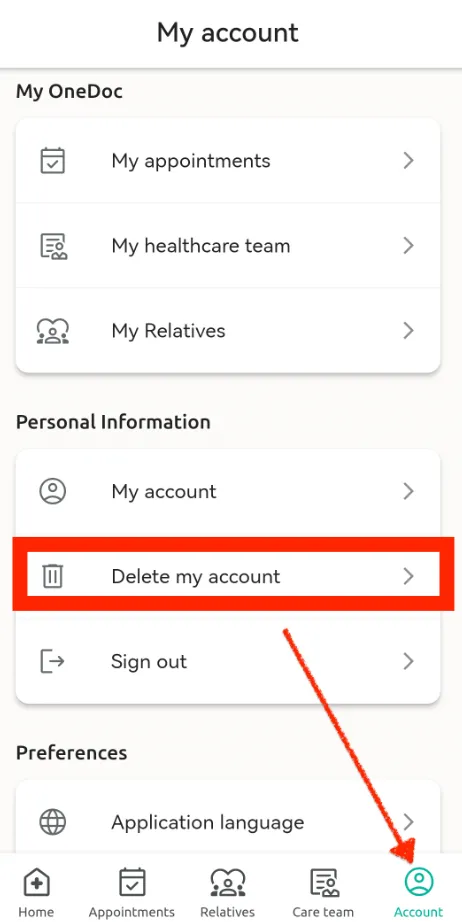
Delete my OneDoc account from the app
You can delete your OneDoc account and related personal information from the OneDoc-app at any time.
To do this:
- Sign in to your OneDoc space from the app.
- Then click on “Account” at bottom right.
- Scroll down to the bottom of the page to reach “Personal Information” and then click on “Delete my account”.
- A confirmation message appears. Enter your e-mail address, then click on “Delete”.